Hide common clutter
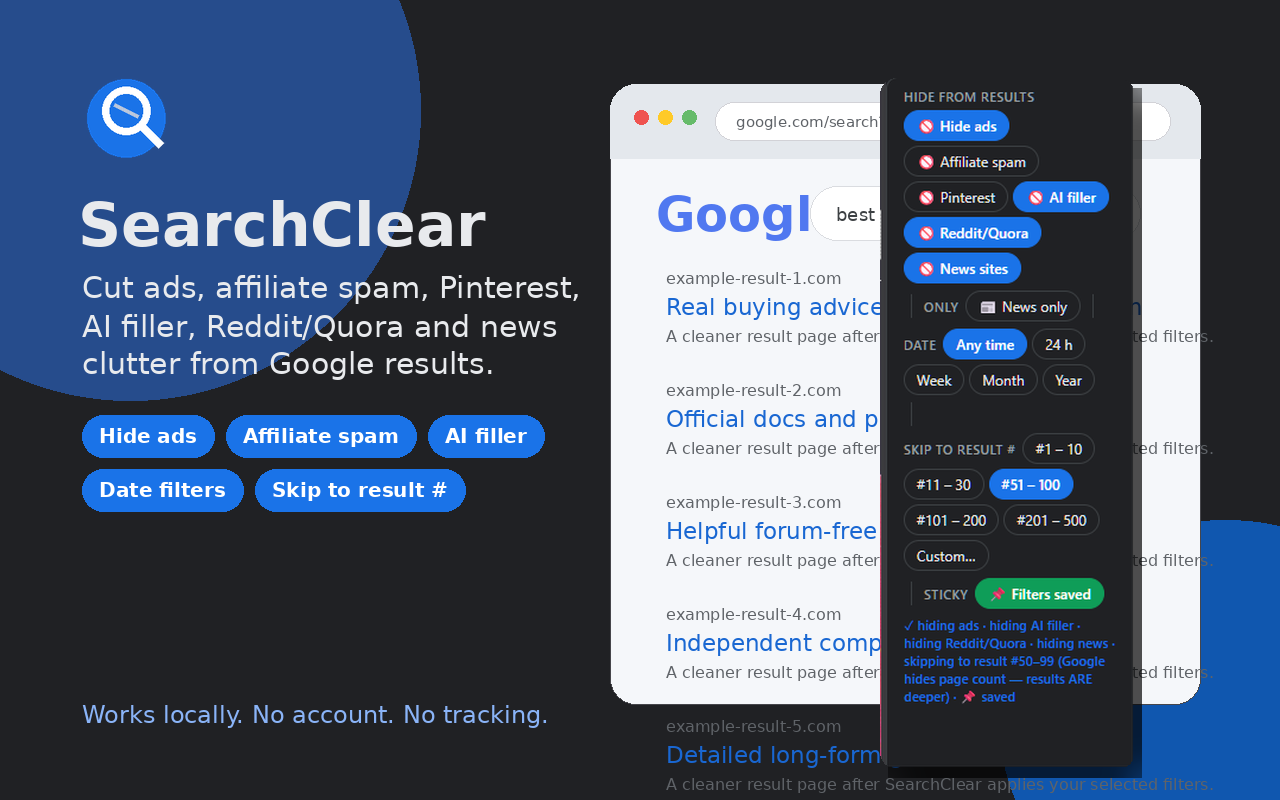
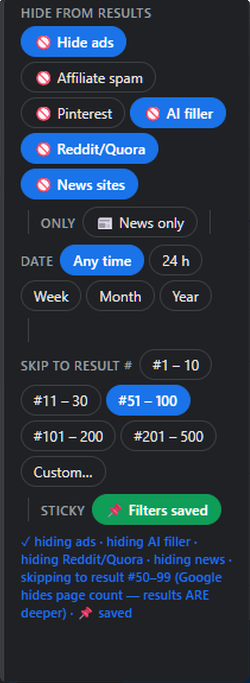
Toggle filters for sponsored results, affiliate-heavy review sites, Pinterest, AI writing tools, Reddit/Quora, and news domains.
SearchClear adds a slim control strip above Google Search results so you can hide the noise: ads, affiliate spam, Pinterest, AI filler, Reddit/Quora, news sites, stale results, and SEO-gamed pages.
Built for Chrome. No account required. No tracking built into the extension. Available now from the Chrome Web Store.
One-click filters
Toggle filters for sponsored results, affiliate-heavy review sites, Pinterest, AI writing tools, Reddit/Quora, and news domains.
Quickly narrow Google results to the last 24 hours, week, month, or year without digging through Google’s tools menu.
Skip straight to deeper result ranges like 51–100 or 101–200 when the first page is too optimized to be useful.
Save your preferred filters so your setup is ready on your next Google search.
SearchClear does not replace Google. It adds a practical layer of controls to the results page and builds cleaner Google search URLs from your choices.
The extension stores your SearchClear settings locally through Chrome extension storage. It does not require a SearchClear account, does not send your settings to a SearchClear server, and does not include analytics in the extension.
Install & workflow
SearchClear is available now from the official Chrome Web Store listing.
Open any Google results page. SearchClear places the toolbar above the results where you already work.
Click the pill controls you want. SearchClear updates the Google search URL with the right exclusions and search parameters.
Use sticky filters to remember your setup, or reset back to regular results whenever you need to.
Simple workflow
If something is not working, include your Chrome version, operating system, the Google search URL where it happened, and which filters were active. Avoid sending sensitive search terms in support messages.
Install from Chrome Web Store →